
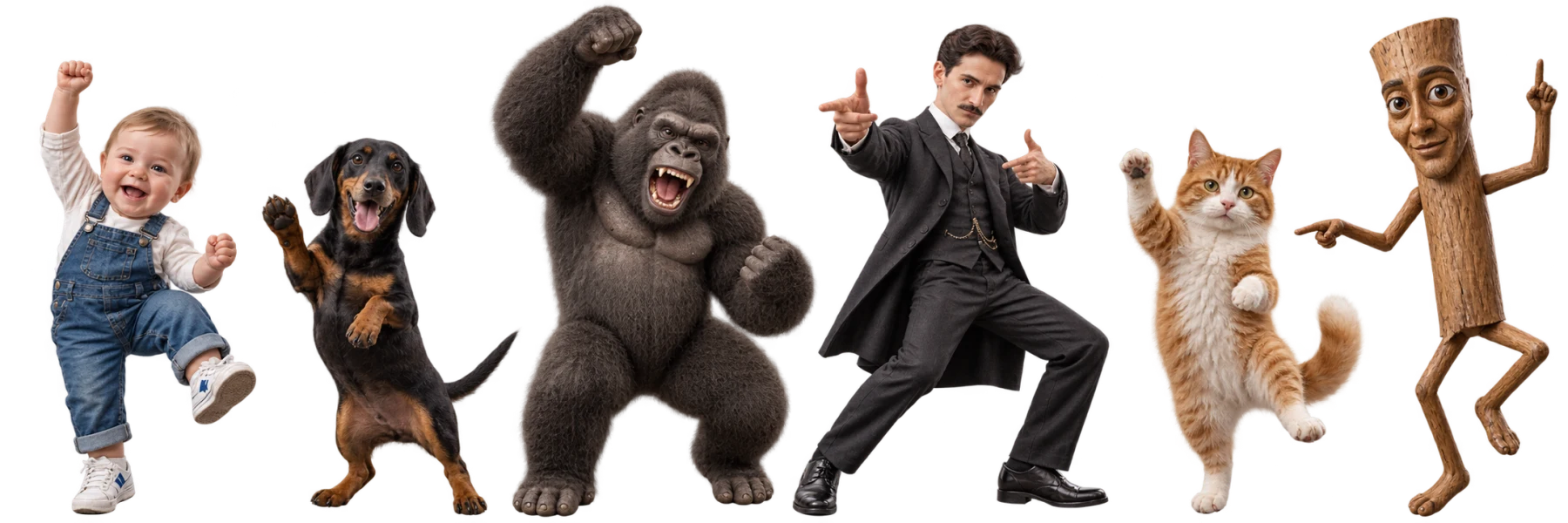



Start with one clear photo
The AI dance generator takes the subject's appearance from a single image. Try a portrait, a pet or an original illustration without building a character rig or learning an animation timeline.
Upload a photo. Pick a dance. Bring it to life.Upload a photo, pick a dance, and create your AI dance video. See the credit cost before you generate. No subscription required.
Live trend radar
Recently curated dance references from short-video platforms, ranked for momentum and remake potential. Pick one, add your character, and start a new version.
Explore what the AI dance generator can do with different subjects. Visit the baby, cat and dog dance pages for examples and photo tips, then create your own video.
Bring a baby photo or an original cartoon baby to life with a dance reference of your choice. Explore our AI baby dance generator for photo-to-dance examples and tips on choosing a clear image and simple movement. For a real child's photo, get a parent or guardian's permission before uploading.
Create a baby danceGive your cat a new move, from a gentle sway to a playful groove. Start with a clear cat photo and use a separate video to guide the movement. Visit the AI cat dance generator to see original images alongside their animated results and find ideas for your own clip.
Create a cat danceTurn a favorite dog photo or an original dog character into a dance video. Choose a pose with the body clearly visible and a reference with simple, steady movement. Our AI dog dance generator page walks you through preparing the inputs and reviewing your result before sharing.
Create a dog danceMake a photo dance with three steps: add an image, choose a motion reference, then generate and review your video.
Add a PNG, JPG or WebP photo to the AI dance generator. Choose one clearly visible person, pet or character, including the body and limbs needed for the dance. Use a photo you own or have permission to animate.
Select a template or upload an MP4, WebM or MOV reference with one dancer and a steady camera. Longer uploads use the first 15 seconds. The AI dance generator shows the selected model's requirements and credit cost.
Sign in, check the displayed credit cost and generate your AI dance video. Preview the finished movement, face and limbs, then download the MP4. Add captions, licensed music or a final crop in your preferred video editor.
Your photo, your choice of movement, and a dance video you can download. A focused workflow from still image to moving character.
The AI dance generator takes the subject's appearance from a single image. Try a portrait, a pet or an original illustration without building a character rig or learning an animation timeline.
Guide the AI dance generator with a ready template or your own reference footage. Try different dance moves without replacing your source photo, and compare the results to find a combination you like.
The AI dance generator runs in your browser, with no animation software to install. Upload your inputs, check the credit cost and generate online. Find completed clips in your generation history and review each result.
Download the generated dance as an MP4. Keep a local copy, trim it, add a greeting or prepare your own social edit without relying on an embedded player link.
Choose the subject and the occasion first, then use a dance reference to set the movement. Here are four ways to use an AI dance generator.
Try a trending move in the AI dance generator using a photo of yourself or a consenting performer. Review the result, then add captions or adjust the crop for TikTok, Reels or Shorts. A template supplies movement, not a guarantee of views.
Make a playful AI dance from a cat or dog photo for a pet account or a family chat. Start with simple movement and a clearly visible body. Animal anatomy differs from a human dancer, so check the paws and posture before sharing.
Turn an original baby character into a birthday dance or a lighthearted greeting. Add names and messages after downloading the clip. If you use a real child's photo, obtain a parent or guardian's permission before uploading or sharing it.
Try different dances with an original avatar or mascot to explore a recurring video format. Keep the source image consistent while changing the motion reference. Use artwork and audio you have permission to publish, and review each generated clip.
Buy credits once, create whenever inspiration strikes. No subscription, no automatic renewal — just your photos, your moves, and two ways to make them dance.
One-time purchase
$9.90
300 Credits
3 AI Dance Pro videos · 10s each
or 8 AI Dance Lite videos
$0.033/credit
One-time purchase
$24.90
1000 Credits
10 AI Dance Pro videos · 10s each
or 28 AI Dance Lite videos
$0.025/credit
One-time purchase
$49.90
2400 Credits
24 AI Dance Pro videos · 10s each
or 68 AI Dance Lite videos
$0.021/credit
One-time purchase
$99.90
5200 Credits
52 AI Dance Pro videos · 10s each
or 148 AI Dance Lite videos
$0.019/credit
Counts are alternatives, not combined: AI Dance Pro uses 10 credits per started second (10-second examples above); AI Dance Lite uses 35 credits per video. Other lengths change the AI Dance Pro count. The exact charge appears before generation.
Purchases are subject to our Terms of Service · Payment help
Quick answers about photos, dance templates, file formats, results, credits, and usage rights.
An AI dance generator combines a subject image with a dance reference video. It uses the reference movement as guidance to create a new MP4 featuring the person, pet, character, or mascot in your image.
Yes. Upload a short MP4, WebM, or MOV that you own or have permission to use. A single visible dancer, a steady shot, and limited occlusion usually make the motion easier to reproduce.
You can try people, pets, illustrations, anime-style characters, avatars, and mascots. Results vary with anatomy and pose; subjects with visible limbs and human-like or upright proportions usually follow dance motion more clearly.
Use a sharp, evenly lit image with one subject and the body parts needed for the dance visible. Leave room around the arms and legs. Avoid tightly cropped faces, crossed limbs and heavy occlusion. For pets or illustrated characters, an upright pose can be easier to match to a human dance reference.
The AI dance generator uses your photo for appearance and your video for motion, but it can reinterpret the face, clothing, limbs and background. Exact identity preservation and frame-for-frame motion are not guaranteed. Use a clear source photo and a simple reference, and review the result before sharing it.
Upload a PNG, JPG, or WebP image up to 10 MB and an MP4, WebM, or MOV dance reference up to 50 MB. Completed generations are provided as MP4 video.
AI Dance Pro keeps the reference video's original sound. Audio can vary by model and input; preview your result and use properly licensed music before publishing.
Only if you have the necessary rights to every person, character, image, dance reference, and audio track involved. Generating a video does not grant rights to third-party material; check the applicable provider and platform terms before commercial use.
Preview a clip in Discover viral dances to remake, then click Make This Dance to load its motion into the generator. Add your own character image and review the credit cost before generating. You can also select a clip from Trending templates. Templates are movement references; they do not guarantee identical results or viral reach.
AI Dance Pro uses 10 credits per started second (10 seconds = 100 credits). AI Dance Lite uses 35 credits per video. The same model rates apply to templates and uploads. Technical failures return credits automatically.
Upload one photo, choose a dance, and create a new video in a few simple steps.
Create your first dance