
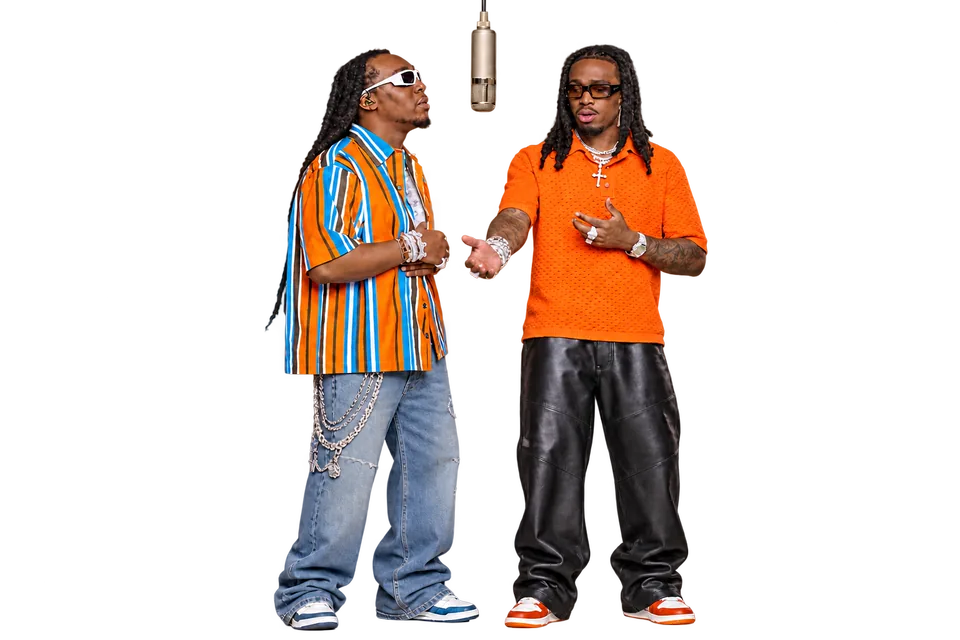
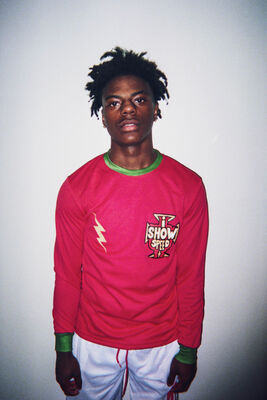

Separate left and right identities
Each upload is bound to one side of the performance to reduce accidental face swaps, duplicate people, and blended identities.
Two photos. One Hotel Lobby rap duo video.Upload two photos and place both subjects into the Hotel Lobby rap duo trend while preserving the reference choreography, camera work, timing, and audio.
Choose one photo for each performer. Hotel Lobby supplies the motion, camera, scene, timing, and audio.
Rap Duo AI maps one photo to each performer, then edits both subjects into the same Hotel Lobby reference performance without asking you to film or cut video.
Photo 1 stays assigned to the performer who starts on the left and Photo 2 to the performer who starts on the right. A clear half-body or full-body photo gives the model useful face, hairstyle, body, clothing, footwear, and accessory references.
Upload two photosUse the same choreography with another pair of photos. The edit preserves the Hotel Lobby camera work, scene, timing, movement, and audio while mapping a new person to each side.
Use Hotel LobbyThese are real generated results, not mockups. Your paid generation is saved as a recoverable task and delivered to your signed-in account; a failed task restores its reserved credits.
Create my duoThe workflow is intentionally narrow: two subject photos, one verified Hotel Lobby template, and one downloadable result.
Use one person per image with the face, hair, and clothing easy to see. Avoid group photos, heavy filters, and faces hidden by hands or sunglasses.
Play the exact source video before generating. Its 16:9 frame, approximately 15-second duration, performance, camera movement, background, and audio become the structure of the result.
See the exact credit cost before submitting. Review the finished clip for identity or lip-sync changes before downloading and sharing it as AI-generated content.
Each choice in the workflow is designed around maintaining two separate subjects through one fast, shared performance.
Each upload is bound to one side of the performance to reduce accidental face swaps, duplicate people, and blended identities.
The model uses visible clothing, colors, fabric details, footwear, and accessories from the photos. If an outfit matters, show it clearly in a half-body or full-body image.
The output follows the Hotel Lobby source choreography, mouth timing, camera movement, cuts, and audio instead of inventing an unrelated song or performance.
Upload, preview, pay, monitor, and download from the browser. Saved task recovery helps prevent duplicate paid submissions after a refresh.
Use only photos you own or have permission to use, then choose a pair your audience will recognize immediately.
The two photos do not need to be taken together. Put long-distance friends into one synchronized Hotel Lobby performance for a group chat or social post.
Use similarly framed photos to turn a familiar pair into a playful duo performance while keeping each person's visible look distinct.
Experiment with pets or characters you created, but inspect paws, limbs, clothing, and fast motion carefully because non-human anatomy can vary.
Choose two authorized subjects people would never expect to see perform together, then share the finished clip as AI-generated media.
Use a subject-specific workflow when you want one baby, cat, or pet to follow a dance reference instead of replacing a two-person scene.
Animate a baby photo with a separate dance motion reference.
Open generatorCreate a cat dance video with cat-focused photo and anatomy guidance.
Open generatorTry a broader pet or original animal-character dance workflow.
Open generatorOne approximately 15-second Hotel Lobby edit costs 300 credits. The exact price appears before submission; there is no costly free video render, and failed tasks automatically restore reserved credits.
It is a two-photo video-editing workflow. Each image represents a different subject, and the model replaces the two performers while preserving the reference video's movement, camera work, timing, and audio.
Hotel Lobby is the built-in two-performer reference video shown in the generator. You do not upload a separate song or motion clip: its scene, movement, camera work, timing, and audio are retained while your two photos guide the replacement subjects.
The photos guide identity, but generative video can still change facial details, hands, clothing, or lip sync. Use sharp source photos and review the complete result before publishing it.
Use photos you own or are authorized to use. Do not impersonate public figures, deceive viewers, harass anyone, or suggest a real person endorsed words they never said.
AI video queues vary and a render can take several minutes. The task is saved to your account, so reloading the page does not create a second paid request.
The task system restores the credits reserved for a failed or canceled generation. A completed provider file is copied to private app storage before it is offered for download.
This workflow expects two separate images so each subject can be assigned to a specific performer. Crop a group photo into two individual images before uploading, and keep one clear subject in each file.
The current template produces an approximately 15-second landscape video in 16:9 because the edit preserves the source video's framing and duration. It does not currently create a separate 9:16 version.
No. This version edits two subjects into a fixed reference performance and retains the source audio. It does not write custom lyrics, generate new vocals, or create a new beat.
You can experiment with authorized pet or character images. Results are less predictable when the subject's anatomy differs from the two human performers, so inspect faces, paws, limbs, clothing, and fast motion before sharing.
Upload two authorized photos, preview the real Hotel Lobby template, and create one synchronized duo performance.
Create Hotel Lobby video