
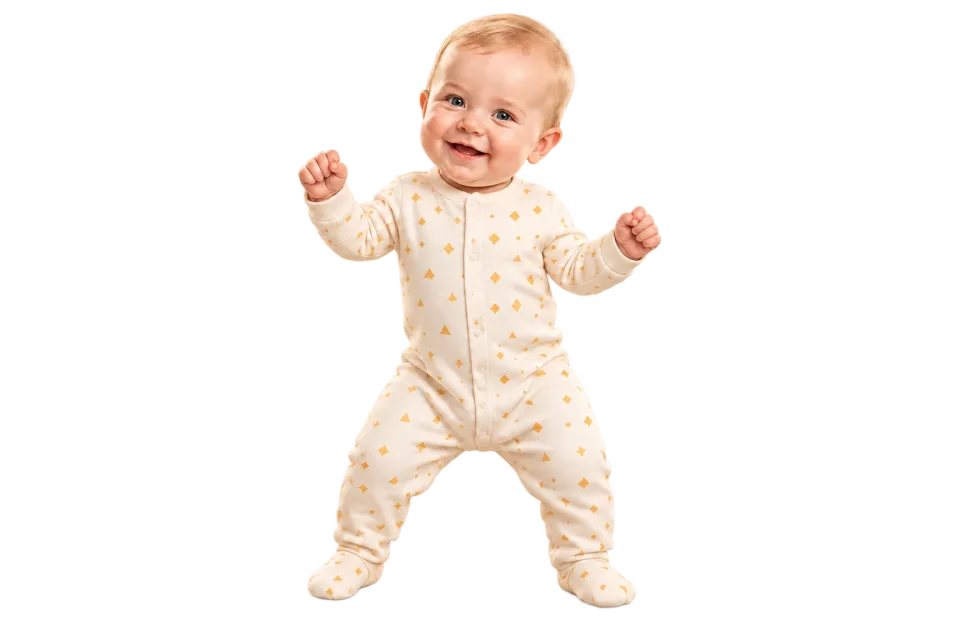
Start with a photo you already love
Make a baby dance from a favorite portrait or an original character. AI adds the movement, so there is no need to film your baby performing a dance.
Turn a baby photo into a dance video.Make an AI baby dance from a photo and a short reference. Create a clip for family chats or birthday greetings.
Make a baby dance with AI using a still image and a separate movement reference. Pick a gentle groove or playful steps—no filming a real baby dancing or animating each frame.
The AI baby dance generator takes appearance from your image and movement from a reference. Try a favorite family portrait or an original cartoon baby. You choose the two inputs; the generator animates the character into a dance clip, with results that vary by pose and movement.
Animate your photoGive your AI baby dance a clear rhythm: choose a template or upload a clip you are allowed to use. A gentle groove, a small wave or a simple step makes a good starting point. Compare the dancer's pose with your baby image before generating.
Find a dance referencePreview your AI baby dance, then save the finished MP4. Send it to family or add a birthday message and captions in a separate editor. Check the face and hands before sharing, and label public posts as AI-generated so viewers understand how the dance was made.
Create your dance videoAn AI baby dance starts with a clear image and a simple, steady dance reference. Follow these three steps to animate it.
Choose a well-lit baby image with the face and limbs visible for animation. Use your own image or one you have permission to upload.
Try gentle swaying, small steps or simple hand movements for your first baby dance. Avoid fast spins and acrobatics that are harder to follow.
Check the displayed credit cost, generate, then preview and download your MP4. Results vary with the image, motion and model.
Build a baby dance around your own image and movement, with AI handling the animation.
Make a baby dance from a favorite portrait or an original character. AI adds the movement, so there is no need to film your baby performing a dance.
Set the rhythm for your AI baby dance with a template or your own reference. Choose a gentle sway or small steps to suit your baby character.
The AI baby dance workflow runs in your browser: upload, choose a reference and generate. No animation software to install or timeline to build.
Preview the AI animation, then save your baby dance as an MP4. Share it with family or add captions and a personal message in your editor.
An AI baby dance can be a birthday greeting, a family surprise or a cartoon experiment. Start with the occasion, then choose a dance that fits the mood.
Create a short baby dance for a birthday message. Download the result, then add a name, age or greeting in your editor before sending it to family. A gentle dance keeps the focus on that familiar face.
Share an AI baby dance with grandparents instead of another still image. A gentle sway or a small wave makes a simple starting point. Review the animation before sharing and let family know it was made with AI.
Try an AI baby character or your own illustration without uploading a real child's image. Keep the full body visible and choose an uncomplicated dance. The model can reinterpret proportions, so review the character after animation.
Create an AI baby dance for Reels, Shorts or TikTok, then adjust the crop and add captions in your editor. Use a character you own, or share a real child's image only with appropriate permission. Follow the platform's AI labelling rules.
Have a different subject in mind? Start with a page tailored to your photo.
See the credit cost of your AI baby dance before submitting. Compare plans and credit packs on our pricing page, then choose the model that fits your next dance.
The baby image supplies the subject and a separate reference supplies the dance. AI combines them into an animation, so you do not need to film a real baby dancing. Use an image you are authorized to upload and review the result before sharing.
Your image guides appearance, but AI can change small faces, hidden features and large movements. Start with a clear baby portrait and a simple dance. Exact facial identity is not guaranteed.
Choose one well-lit baby with the face, body, arms and legs visible. Tight crops, blankets and an adult's arms can hide the body parts needed for animation. A simple background helps you spot changes in the finished dance.
Yes. Create an AI baby dance, download the MP4 and add your greeting in a separate editor. Names, captions and birthday decorations are not automatically added by the generator.
Before creating an AI baby dance, check that you have a parent or guardian's permission to upload the image. Avoid identifying details such as school names or addresses, and read the Privacy Policy before uploading personal images.
Generating a video requires credits: AI Dance Pro uses 10 credits per started second (3-second minimum); AI Dance Lite uses 35 credits per video. The price appears before generation. A 10-credit signup bonus alone is not enough for a video.
Yes. Upload a reference video you have permission to use, or choose a template from the library. Check the selected model's duration and file requirements before generating; those limits are shown beside the upload control.
Download the MP4 and use a separate editor for captions, music changes or a different crop. Preview the entire video, check that you have rights to its image and audio, and follow the platform's rules for AI-generated content. Keep the baby dance centered when cropping, and preview the final version at the size your family or audience will see.
For your first AI baby dance, choose a steady, front-facing reference with small movements. Adult choreography with deep bends or fast turns can be a poor match for a baby's proportions. Baby proportions differ from an adult dancer. A simple upright character image may be easier to animate than a curled or lying-down pose; do not force a real baby into a pose for a photo.
No. AI motion transfer is not an exact copy. For a cleaner baby dance, try a sharp, front-facing image without hands or toys covering the face. Use a steadier reference and compare the new result before sharing. Check whether the source shows the relevant limbs. Blankets or tight crops hide details the model needs to interpret; choose a different authorized image rather than forcing a real baby into a pose.
Have a photo in mind? Head back to the generator and choose a dance reference.
Open the generator