
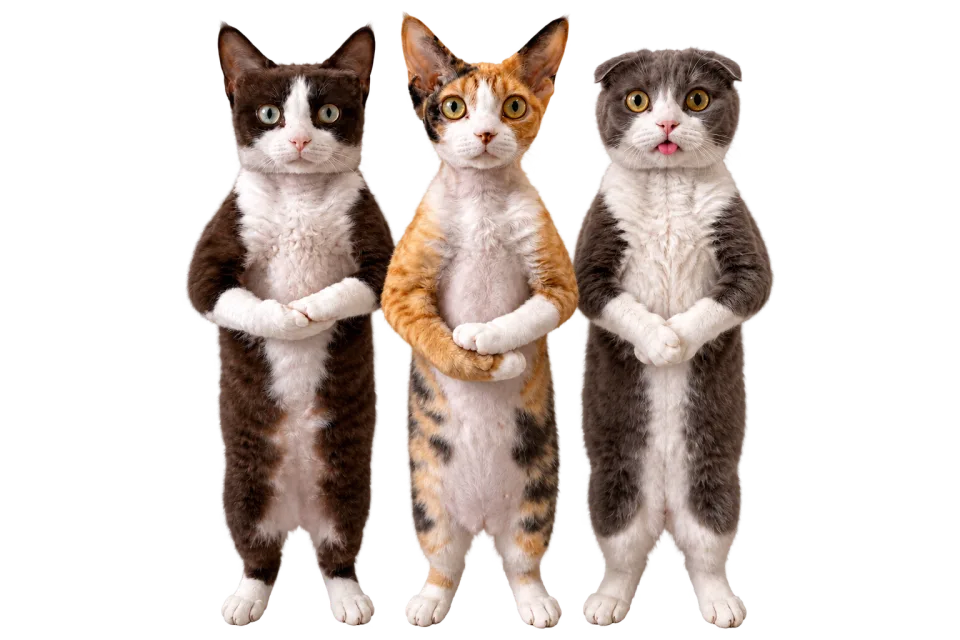
Start with a photo you already love
Start an AI cat dance with your own photo or original character. Choose visible paws and a clear tail; no need to record your cat performing a dance.
Turn a cat photo into a dance video.Create an AI cat dance from a photo and a dance reference. Choose the movement, preview your clip, and download the video.
Build an AI cat dance around a familiar expression or an original feline character. Choose the photo, pick a dance, and turn a still image into a playful clip.
Start an AI cat dance with a clear photo or an illustration you own. The image supplies the appearance and a separate dance video supplies the motion. No filming or teaching your cat a trick.
Animate your photoGive your AI cat dance a gentle groove or small side steps. Pick a template or upload a reference with a similar stance. An upright character and a cat on all fours need different dance choices.
Find a dance referencePreview your AI cat dance and save the MP4. Add a reaction caption or trim the dance in your editor. Check paws, whiskers and fur throughout the clip before sharing.
Create your dance videoCreate an AI cat dance in three steps: choose a clear image, match the dance reference, then review your video.
Upload one cat with a clear face, visible paws and room around the tail. Choose a pose that matches your dance.
Pick small steps or a steady groove. Match the starting pose and avoid fast spins or crossed limbs.
Check the displayed credit cost, generate, then preview and download your MP4. Results vary with the image, motion and model.
Your image, your choice of dance, and an AI cat dance video you can download.
Start an AI cat dance with your own photo or original character. Choose visible paws and a clear tail; no need to record your cat performing a dance.
Set the pace of your AI cat dance with a template or your own reference. Start with a short dance that suits the source pose.
Make an AI cat dance in your browser: upload, choose movement and generate. No animation software or timeline to set up.
Preview the AI animation and save your cat dance as an MP4. Add captions, trim the dance or adjust its crop in your own editor.
Make an AI cat dance around a reaction, a character or a celebration. A short dance with a clear expression is often all the idea needs.
Turn that unimpressed expression into an AI cat dance reaction. Choose a small groove, then add your own caption in an editor to make the joke land.
Build an AI cat dance series from a recognizable photo or original illustration. Keep the framing similar between dance clips, and check markings and whiskers in each result.
Try an AI cat dance with a clean, upright character you own. Choose a dance reference with a similar stance instead of expecting a four-legged pose to copy every human move.
Create an AI cat dance for an adoption anniversary or a friend's birthday. Add your message after downloading to turn the dance into a personal greeting.
Have a different subject in mind? Start with a page tailored to your photo.
Check the credit cost of your AI cat dance before submitting. Compare plans and credit packs, then choose the model for your next dance.
You can try both. A real cat's anatomy differs from a human dancer, so the result may become stylized or change proportions. Upright cartoon cats often offer a clearer match for human choreography.
No. A separate dance video supplies motion. Pick a simple reference with a clear subject; do not assume a video showing another AI cat will transfer cleanly.
AI animation can change animal anatomy when it adapts the reference motion. Try a clearer full-body image and simpler movement. Review the entire clip, not just the opening frame.
You can generate the dance here, then add captions, timing and other edits after downloading it. The generator does not automatically write or place meme captions.
Either is a starting point, not a guarantee. A real photo preserves the source's visual style, while an upright illustration may be a closer pose match for a standing dance. Choose based on the reference you want to try.
Generating a video requires credits: AI Dance Pro uses 10 credits per started second (3-second minimum); AI Dance Lite uses 35 credits per video. The price appears before generation. A 10-credit signup bonus alone is not enough for a video.
Yes. Upload a reference video you have permission to use, or choose a template from the library. Check the selected model's duration and file requirements before generating; those limits are shown beside the upload control.
Download the MP4 and use a separate editor for captions, music changes or a different crop. Preview the entire video, check that you have rights to its image and audio, and follow the platform's rules for AI-generated content. Replace a tightly curled photo with a more suitable image, or choose a reference closer to the existing pose. Do not expect the generator to reliably reconstruct every hidden body part.
Match the starting pose first. Small steps suit a simple silhouette; crossed limbs, floor moves and rapid turns make paws and tails harder to judge in the result. Whiskers, fur patterns and tails can flicker during fast movement. Avoid extreme turns at first and inspect those details in the result.
Try a source with separated, visible limbs and a reference with fewer crossed-body moves. Review the whole clip for anatomy changes. Look for a cleaner outline against the background. Avoid a reference with rapid turns on your next attempt; changing one input at a time helps you compare results.
Have a photo in mind? Head back to the generator and choose a dance reference.
Open the generator