
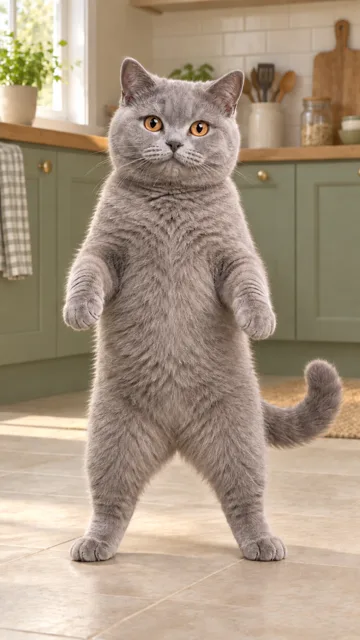
Recommended
- One cat with its face, ears and fur markings clearly visible.
- Show the body and paws when possible.
- Use even light and a simple background.
One cat photo. Headphones on. Choose 5 or 15 seconds of Sawadika.Give your cat the Sawadika routine: cat-ear headphones, playful paw moves and a purple-lit room. One cat photo, 5 or 15 seconds, with reference audio.
The generated example and its opening, middle and ending frames.
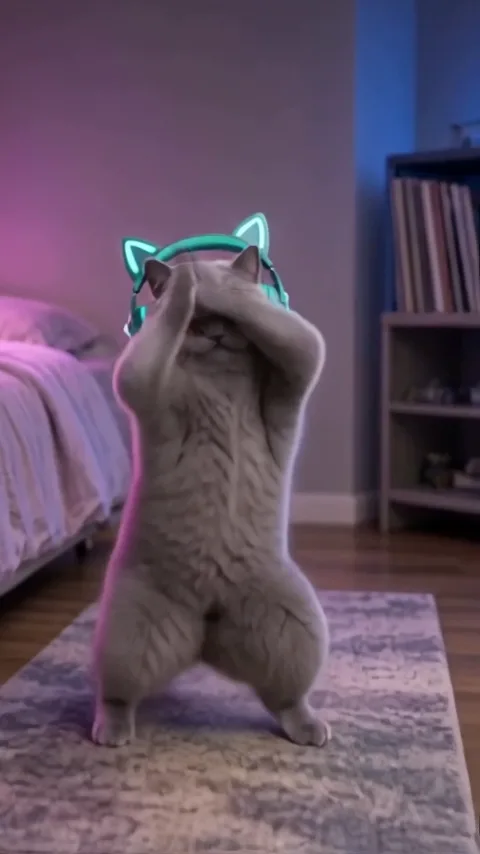
01Opening
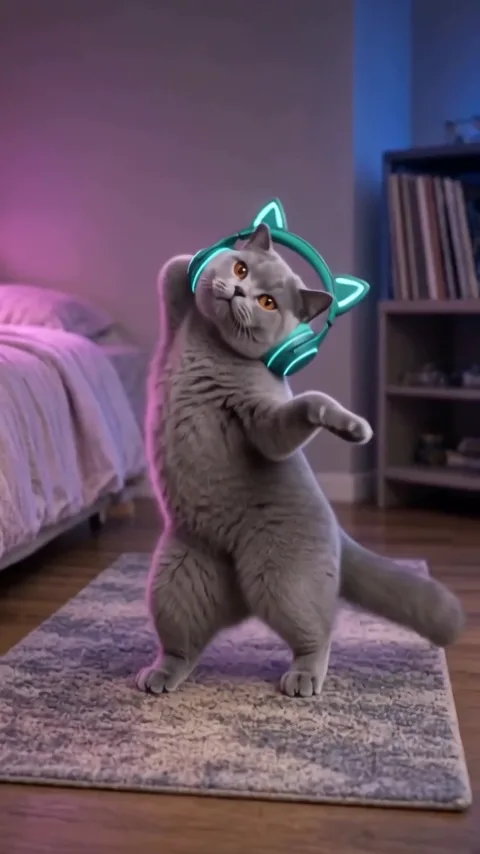
02Middle
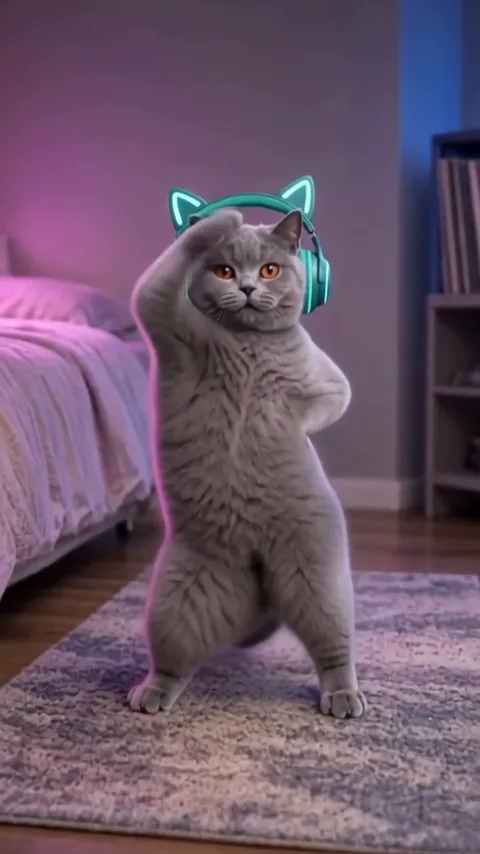
03Ending
One upright cat performs playful paw gestures, turns and steps in a purple-lit room.
The reference cat wears glowing cat-ear headphones and dances on a rug in a purple-lit room. Your photo supplies the replacement cat's face, fur pattern and body appearance.
View the reference clipThe reference supplies the standing dance, headphones and room; your photo guides the cat. Choose the opening 5 seconds or the full 15-second reference. This template is for cats, not dogs or people.
The source clip explains the performance. The How to example shows an actual generated result.
The linked reference page shows the upright cat, glowing cat-ear headphones and purple-lit bedroom used for this template. It attributes the reference to @77_qiqi_; this is not a claim about who first created the trend.
View the reference clipUpload one cat photo to guide its face, coat and body. The complete option follows the selected 15-second reference. How to keeps our earlier 10-second sample rather than presenting reference footage as a generated result.
Choose clear photos, check the role mapping and review your settings before generating.
Upload one photo containing one cat. Keep the face, ears and body visible; avoid people or other pets in the frame.
Choose 5 or 15 seconds in vertical 9:16, then 480P or 720P. Default: 15 seconds at 480P. Confirm the cat photo and credit total.
Check the credits and generate. Follow progress in History, then preview and download the completed video.
A clear single-cat photo helps preserve the face, coat pattern and body shape through the dance.
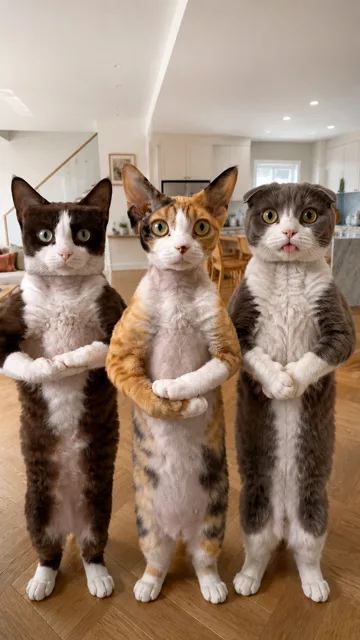
Keep your inputs focused on the appearance you want to bring into the scene.
Use the photo for the cat's face, coat and body while the reference supplies the dance.
Follow the reference's paw movements, turns and room framing. Choose 15 seconds for the complete selected routine.
Check identity, motion, edges and timing throughout the clip before sharing.
The generation button shows the credits required for your selected settings.
5 or 15 seconds in 9:16, at 480P or 720P, with reference audio. Default: 15 seconds at 480P.
Sign in to see your balance and the quoted credit total. Each new generation is a separate paid attempt.
The live quote in the generator is the current total for your chosen settings.
Choose this template for the displayed scene. Use AI Character Swap when you want to supply a different video.
Try another scene with a different performance.
This template is designed for cats only. Use a single-cat photo; choose a dog or human dance generator for other subjects.
Choose a sharp photo of one cat with a visible face, ears, coat pattern and body. A simple background and visible paws help. Avoid groups and extreme face-only crops.
The photo guides the cat's appearance, including its face and coat pattern. AI results can vary, so check markings, paws and body shape throughout the finished video.
Choose the opening 5 seconds or the full 15-second headphone-cat reference in 9:16. The short version is not sped up to fit the whole dance. Both offer 480P and 720P; the default is 15 seconds at 480P.
Select your output settings to see the current credit total on the generation button. Sign in to check your available balance before submitting.
New generations use the selected reference clip's audio for the chosen duration. Generation does not grant music rights or guarantee that a social platform will keep the sound. Check permissions for your use, or mute or replace it before sharing.
Confirmed technical failures automatically return the credits charged for that task. A completed video with visual imperfections is not automatically a failed task. Check History and your balance before retrying; a new generation is a separate paid attempt.
Open History in the tool to check progress, preview the completed result and download it. If a request is still processing or its status is unclear, check that task before submitting again.
It is our original 10-second, 480P generated sample, shown with the exact input cat photo. We keep that example unchanged. New generations now offer 5 or 15 seconds with reference audio; fur markings, paws and motion still need review.