
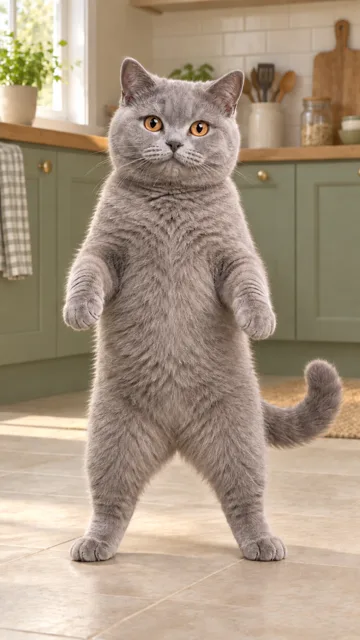
Use one recognizable pet
- One animal, with a clear face and visible ears
- Enough of the body to show its natural build and coat
- Even light, sharp eyes, and recognizable markings
- Space around the pet, without cropped ears or feet
Your pet at center stage. One photo, two backup dancers.One pet photo. A center-stage performance with two backup dancers, guided by the head movements in the reference.
Put a Ring on It dog AI and Single Ladies pet dance describe this same stage idea: one pet in front, two dancers behind, and a performance led by head tilts and tosses.
This template follows the dark-studio version shown here. The pet stays on four paws while the dancers perform behind it. It is not the separate version with three upright pets or a new background created from your photo.
View the reference sourceThe public reference comes from Flowlio, not our generator. How to shows our own output with its exact input photo. This independent tool is not affiliated with the song's artist.
The familiar song name connects several remakes. The preview shows the specific performance this page uses.
The four-legged version combines a foreground pet with two human dancers and a low, steady view. The contrast between small head movements and the dancers' full routine is the visual joke.
Read about the pet dance formatPhoto-based tools offer dog and cat versions of the performance. Short coats, long coats, and different body sizes still need separate checks; a template name alone does not guarantee the same result for every pet.
See a pet-template exampleUpload your pet, select the resolution, and check the total for the 15-second clip. The two dancers stay in the reference roles; you do not need to upload their photos.
Preview the routine, upload one pet photo, and review the complete result.
Show the pet's face, ears, coat markings, body, and paws. Use one animal per photo, with no person or second pet covering it.
The clip is 15 seconds long. Choose 480P or 720P, with 480P selected by default. Read the total credits before you start.
Check the pet's face, coat, paws, and head movement, then both background dancers. Your finished video is also saved in History.
Clear appearance details help more than a dramatic pose. The reference video supplies the motion and stage.
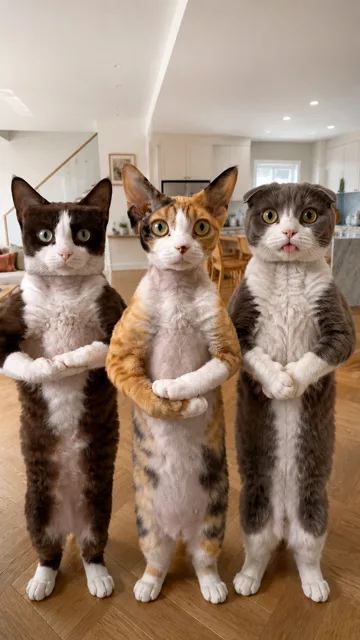
A focused single-pet template, not a multi-pet casting tool.
Your photo replaces the foreground pet. The two human backup dancers are not assigned new photos.
The prompt requests its face, ears, coat length, markings, and proportions from your photo, rather than the reference animal's look.
The reference guides head tilts and tosses with the pet on the floor. Upright poses in an input photo are not the intended output posture.
Play the whole clip. Check fur changes, paw contact, and the dancers, not just the first frame.
The resolution sets the total credits for this 15-second clip. Check the generation button before submitting.
480P is selected by default. The current total updates when you choose a different resolution.
Use your existing credits across this template and the rest of the library. Starting another generation is a separate attempt.
This template uses Wan3 Prime through fal. Technical failures return generation credits. An imperfect but completed video is not a technical failure. View the model documentation
Choose by the workflow and the displayed routine. A song-matched edit is not automatically a pet replacement.
Keep the same account and explore a different routine.
Here they refer to the same pet-stage format associated with Single Ladies (Put a Ring on It). This page uses the dark-studio, four-paws version in the preview, with two human backup dancers. Other videos under the same song name can use different routines.
One clear photo of one pet. Only the foreground pet is replaced. This version does not provide left, center, and right uploads for three pets, and it does not replace the two human dancers.
You can upload a dog or cat photo. The prompt asks to preserve its species, coat length, markings, and build. Results vary by input; we do not claim every breed or body type has been tested. Use the How to example to judge the shown input and result.
The photo defines the requested appearance, including visible accessories. The reference supplies the posture and motion. Missing body details have to be inferred, and fur or accessories may drift during fast head movements.
The output is 15 seconds in vertical 9:16, at 480P or 720P. 480P is selected by default. This page uses a selected excerpt, not another site's full 19-second routine.
No. The reference guides the timing, but the model generates new frames. Look for sliding paws, extra limbs, changing fur, exaggerated neck turns, and accidental edits to the dancers before sharing.
The prepared reference audio is added to the finished result; display previews are muted. A generated file does not grant music or source-footage rights. Check the permissions needed for your use and publishing platform.
Technical failures return generation credits automatically. A completed video with imperfect appearance or movement is not a technical failure. Another generation uses additional credits.
No. Upload the photo, choose your settings, and confirm the displayed credit total. The performance reference and single-pet prompt are preset. This template uses Wan3 Prime reference-to-video through fal.
You can delete a finished entry from account History. That does not instantly delete every copy held by generation or storage providers. See the privacy policy for details.